The Curious Case of the missing SwiftUI Clicks
I’m still developing my Ploze app (import your life’s history from a myriad of sources into an integrated searchable on-device timeline).
I’m working on a Calendar view where you can click a day to see its entries (only a couple of sources loaded, for testing):
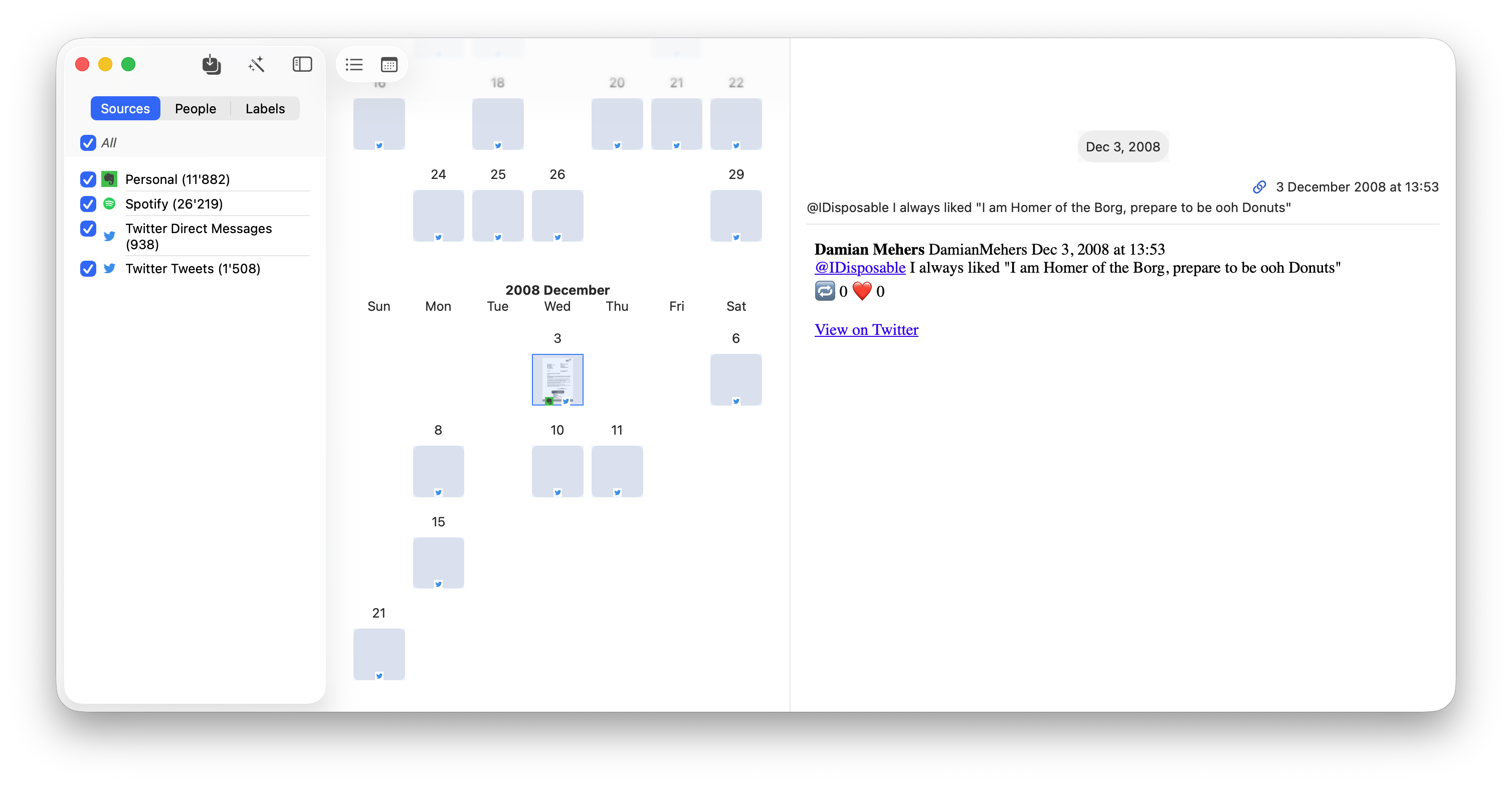
I found that after a few clicks, the cells stopped responding to clicks.
This is the top-level view:
//
//  CalendarView.swift
//  ExportExplorer
//
//  Created by Damian on 30.06.2026.
//
import SwiftUI
import Exportable

struct CalendarView: View {
...

    var body: some View {
        GeometryReader { proxy in
            let cellSize = proxy.size.width / 9

            ScrollView([.horizontal, .vertical]) {
                LazyVStack {
                    ForEach(viewModel.monthsToEntries, id: \.0) { monthAndEntries in
                        if !monthAndEntries.1.isEmpty {
                            MonthView(
                                month: monthAndEntries.0,
                                dateToTimelineEntryViewModel: monthAndEntries.1,
                                selectedEntryIds: $selectedEntryIds,
                                cellSize: cellSize
                            )
                                .id(monthAndEntries.0)
                        }
                    }
                }
            }
        }
        .task {
            await viewModel.load()
        }
    }
}
The MonthView displays DayViews in each cell:
struct DayView: View {
    let date: Date
    let timelineEntryViewModels: [TimelineEntryViewModel]
    @Binding var selectedEntryIds: Set<TimelineEntryViewModel.ID>
    let cellSize: CGFloat

    var body: some View {
        VStack {
            Text(Calendar.current.component(.day, from: date).description)
            Spacer()
            Group {
                Group {
                    Button(action: { dayClicked(timelineEntryViewModels: timelineEntryViewModels) } ) {
                        if let thumbnail = timelineEntryViewModels.first(where: { $0.thumbnail != nil  })?.thumbnail {
#if os(macOS)
                            Image(nsImage: thumbnail)
                                .resizable()
                                .aspectRatio(contentMode: .fit)
#elseif os(iOS)
                            Image(uiImage: thumbnail)
                                .resizable()
                                .aspectRatio(contentMode: .fit)
#endif
                        } else {
                            Rectangle()
                                .foregroundStyle( .clear)
                        }
                    }
                    .border(!timelineEntryViewModels.isEmpty && selectedEntryIds.contains(timelineEntryViewModels.first!.id) ? Color.blue : .clear)
                }
            }
            .frame(width: cellSize, height: cellSize)
            .overlay {
                Rectangle().foregroundColor(.blue.opacity(0.1))
                    .frame(width: cellSize, height: cellSize)
                    .allowsHitTesting(false)
            }
            .overlay(alignment: .bottom) {
                SvgIconList(timelineEntryViewModels: timelineEntryViewModels, cellSize: cellSize)
                    .allowsHitTesting(false)
            }
        }
    }

    func dayClicked(timelineEntryViewModels: [TimelineEntryViewModel]) {
        print("AAA dayClicked")
        Task {
            let selectedEntryIds = Set(timelineEntryViewModels.map(\.id))
            self.selectedEntryIds = selectedEntryIds
        }
    }
}
After clicking a cell a few times, “AAA dayClicked” was no longer displayed. If I scrolled the view, then it would start being displayed again, but after a few clicks it stopped.
I was confused. I did the usual thing of commenting out as much code as I could, but I still had the issue.
When I changed the LazyVStack to a simple VStack it started working, but that wasn’t a proper solution.
In the end, just on a whim I changed the
ScrollView([.horizontal, .vertical]) {
to
ScrollView([.vertical]) {
And it worked! I didn’t need the horizontal scrolling anymore anyway, since I was using a GeometryReader to calculate the cell sizes.
I wish I knew why it worked. I found this StackOverflow question and answer, but no explanation as to why a horizontal scroll view stops buttons from working.
If you know, please let me know!